Pixel/JS integration
Note
This article refers to the legacy FraudScore interface. See more details here.
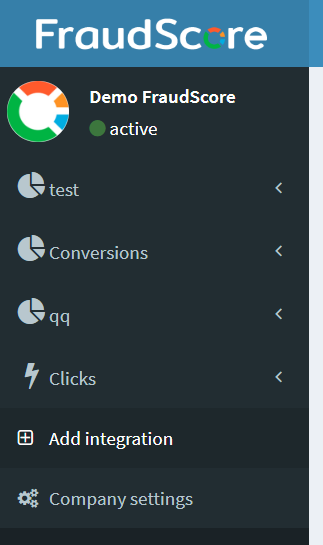
To start setting the integration - go to "Add Integration" tab:
Note
You can also go to "Company settings" and then to the "Integrations" tab there.
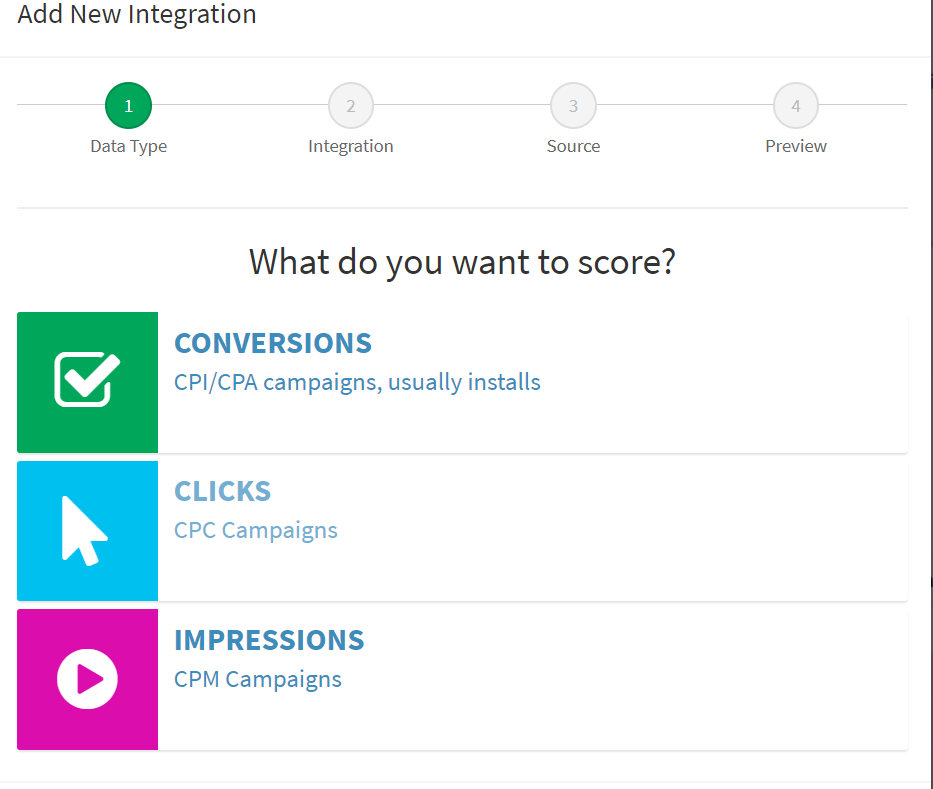
Then, you see the Integration wizard:
-
Step 1: Select what you are going to score - for example, Impressions
-
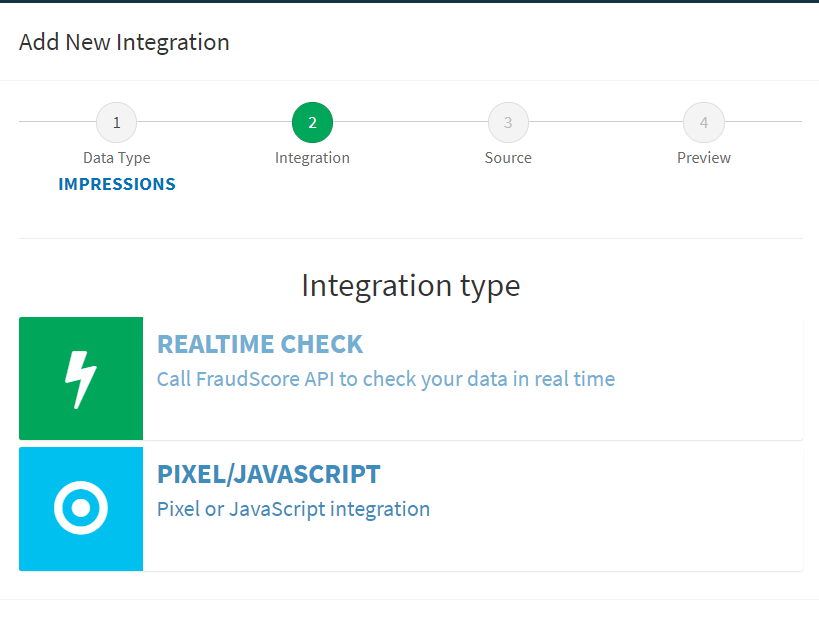
Step 2: Select "Pixel/Javascript" to set the integration
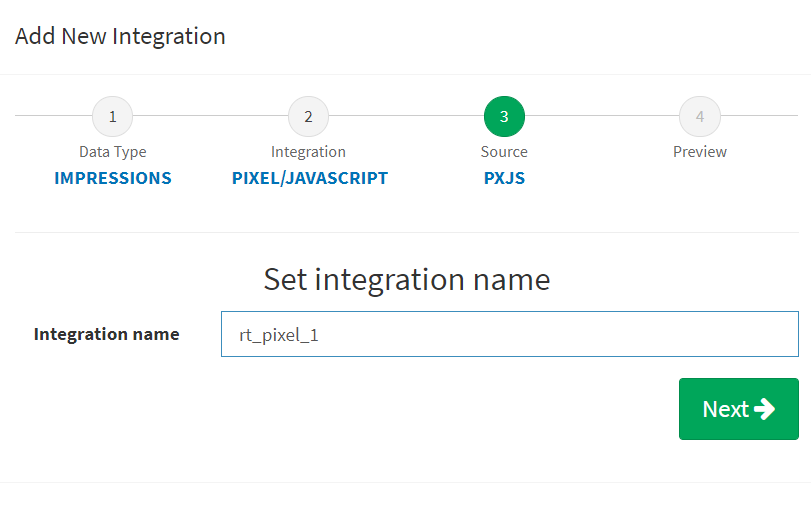
- Step 3: Give the name to your integration. The name will be used in your FraudScore report to help you find it among other integrations, if you have it:
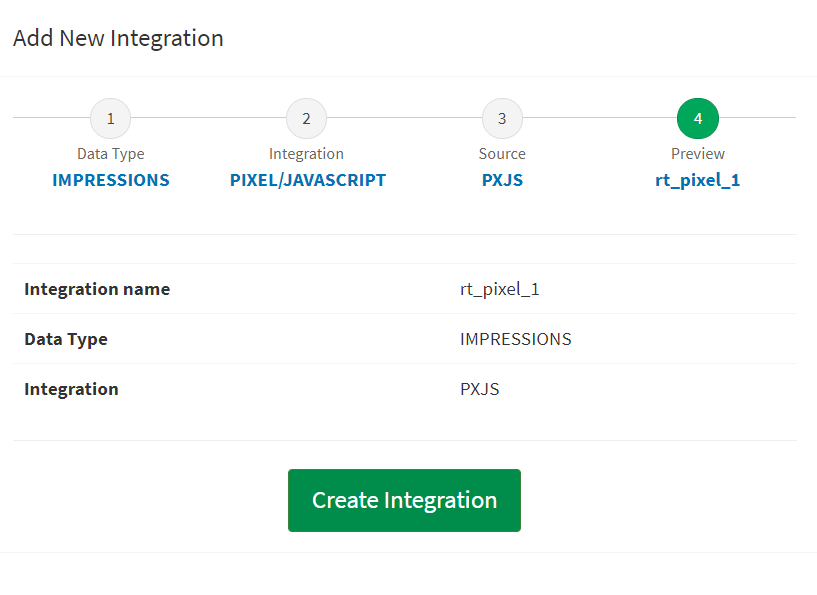
- Step 4: Review all the settings and click "Create Integration". Note - if you want to make changes - click the needed step in the integration wizard:
Note
Here and below use your "Channel API key" as \<YOUR_KEY> variable. You may find your "Channel API KEY" in the "Integration help" tab in the left menu in your FraudScore report.
Please, keep in mind that your "Channel API Key" will appear in the "Integration Help" tab only after you finish adding the integration via FraudScore’s integration wizard (previous steps that are described in this article above).
Important
Next, make sure that the script or pixel is loaded on the page before ad showing or redirecting.
To Send Only Impressions:
Insert the pixel into the target page code:
You may send us additional parameters to group your data in the FraudScore report, e.g. partner, offer, affsub, etc.
To Receive Request Results (fraud reasons) to use in code:
Insert the JS call into the target page code:
You may send us additional parameters to group your data in the FraudScore report, e.g. partner, offer, affsub, etc.
Аfter loading the script, the result will be available in the window.fraudscore variable.
<script>
  if (window.fraudscore && window.fraudscore.reasons && window.fraudscore.reasons.length){" "}
  {
    // some code that will be run if fraudulent requests are detected
  }
</script>
Also you can use the async option to get the result asynchronously:
For professional/custom integrations using Beacon API for requests:
The request will be sent even if a tab is closed.
<script>
  (function (a) {
    var u = 'https://check.fraudscore.ai?';
    for (var k in a) u = u + k + '=' + encodeURIComponent(a[k]) + '&';
    navigator.sendBeacon(u);
  })({
    key: 'YOUR_KEY',
    // other params e.g. partner, offer, affsub and so on.
  })
</script>
URL query parameters:
Moreover, you are able to send us various parameters in the URL query string:
| Parameter | Mandatory | Data type | Description | Example |
|---|---|---|---|---|
| event_type | yes | string (255) | "click" or "impression" | click |
| at | yes | timestamp | Event timestamp | 1544054769 |
| ua | yes | string (255) | Urlencoded HTTP User Agent of the click | Mozilla/5.0 (Macintosh; Intel Mac OS X 10_12_0) AppleWebKit/537.36 (KHTML, like Gecko) Chrome/53.0.2785.116 Safari/537.36 |
| ip | yes | string (255) | Click ip | 217.12.13.43 |
| advertiser_id | no | string (255) | Advertiser ID | 835 |
| advertiser_name | no | string (255) | Advertiser Name (in case of "empty" will be equal to "advertiser_id") | BestMediaCPANetwork |
| advertiser_manager_id | no | string (255) | Advertiser Manager IDAdvertiser Manager ID | 4 |
| advertiser_manager_name | no | string (255) | Advertiser Manager Name (in case of "empty" will be equal to "advertiser_manager_id") | John |
| affiliate_id | no | string (255) | Affiliate ID | 6251 |
| affiliate_name | no | string (255) | Affiliate Name (in case of "empty" will be equal to "affiliate_id") | Partner 1 |
| affiliate_manager_id | no | string (255) | Affiliate Manager ID | 12 |
| affiliate_manager_name | no | string (255) | Affiliate Manager Name (in case of "empty" will be equal to "affiliate_manager_id") | Jane |
| offer_id | no | string (255) | Offer ID | 34713 |
| offer_name | no | string (255) | Offer Name (in case of "empty" will be equal to "offer_id") | Mobile App (iOS) |
| aff_sub1 | no | string (255) | Additional affiliate info (ID of yoursubsources) | |
| aff_sub2 | no | string (255) | Additional affiliate info (ID of your subsources) | |
| aff_sub3 | no | string (255) | Additional affiliate info (ID of your subsources) | |
| aff_sub4 | no | string (255) | Additional affiliate info (ID of your subsources) | |
| aff_sub5 | no | string (255) | Additional affiliate info (ID of your subsources) | |
| country_code | no | string (2) | Country Code (ISO 3166) | US |
| device_os | no | string (255) | Device OS | "Android", "iOS" e.t.c |
| device_os_version | no | string (255) | Device OS Version | "6.0", "10.3.2" |
| device_model | no | string (255) | Device model | "iPhone", "N7100" |
| device_brand | no | string (255) | Device brand | "Apple", "Samsung" |
| This parameter will be used ONLY in case of empty or missed UA field | ||||
| browser | no | string (255) | Browser name | "Chrome mobile", "Firefox" |
| This parameter will be used ONLY in case of empty or missed UA field | ||||
| browser_version | no | string (255) | Browser version | "53.0.1.2", "39.2.1.3" |
| This parameter will be used ONLY in case of empty or missed UA field | ||||
| device_locale | no | string (255) | Device language | "En-us", "Ru-ru" |
| This parameter will be used ONLY in case of empty or missed UA field | ||||
| refer | no | string (1024) | Click URL | http://e1.ru/ad_banner |
| user_mail | no | string (255) | User’s e-mail | john_doe@gmail.com |
| idfa | no | string (255) | iOS device ID | 6D92078A-8246-4BA4-AE5B-76104861E7DC |
| android_id | no | string (255) | Android device ID | 1919FC51E20A1732 |
| source | no | string (255) | Traffic Source | "MyTarget", "Facebook", "Network" |
aug 6, 2026