AppMetrica
This section covers the integration setup with AppMetrica.
Important
Before starting the setup, Create an integration in the FraudScore account if you haven’t done it already.
Add an app
-
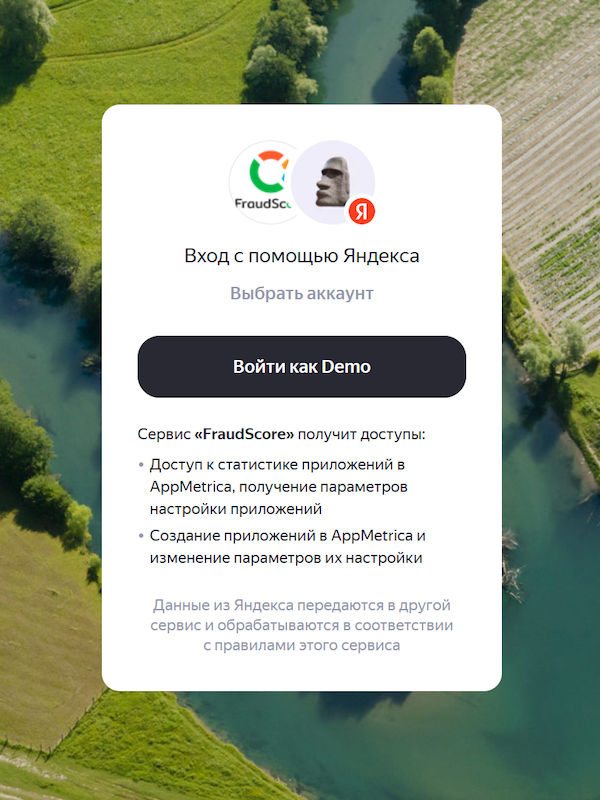
Log in to your Yandex account.
-
Confirm permission for FraudScore to access the data.
-
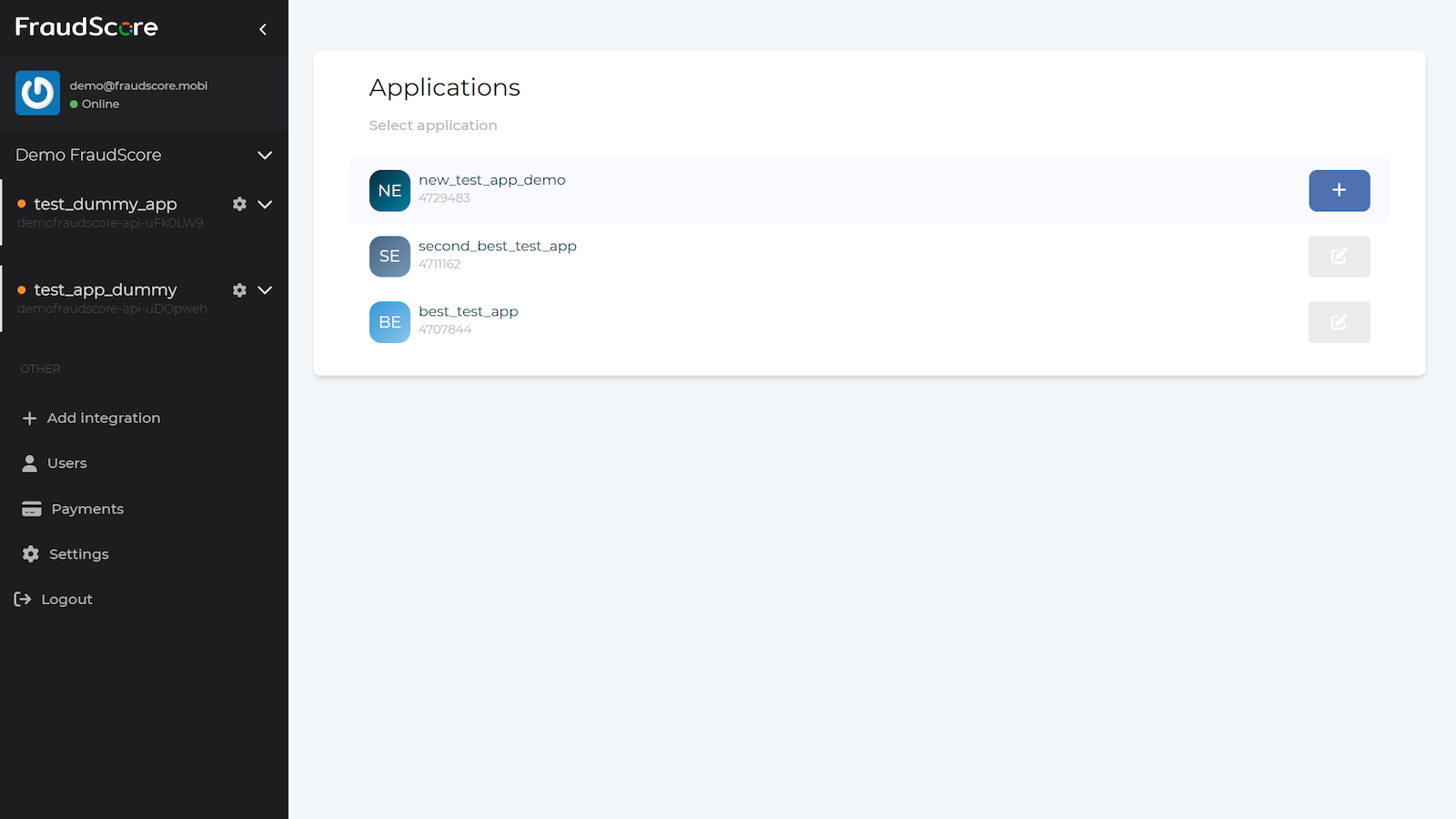
In the list of available applications, click on the desired application to select it and press the plus button to add the integration with this application to FraudScore.
-
The integration is complete. Contact your manager to activate the created integration and start data analysis.
Event analysis
To enable event analysis, contact your personal manager.
Once this feature is activated for your integration, you need to add the events whose traffic will be uploaded and analyzed.
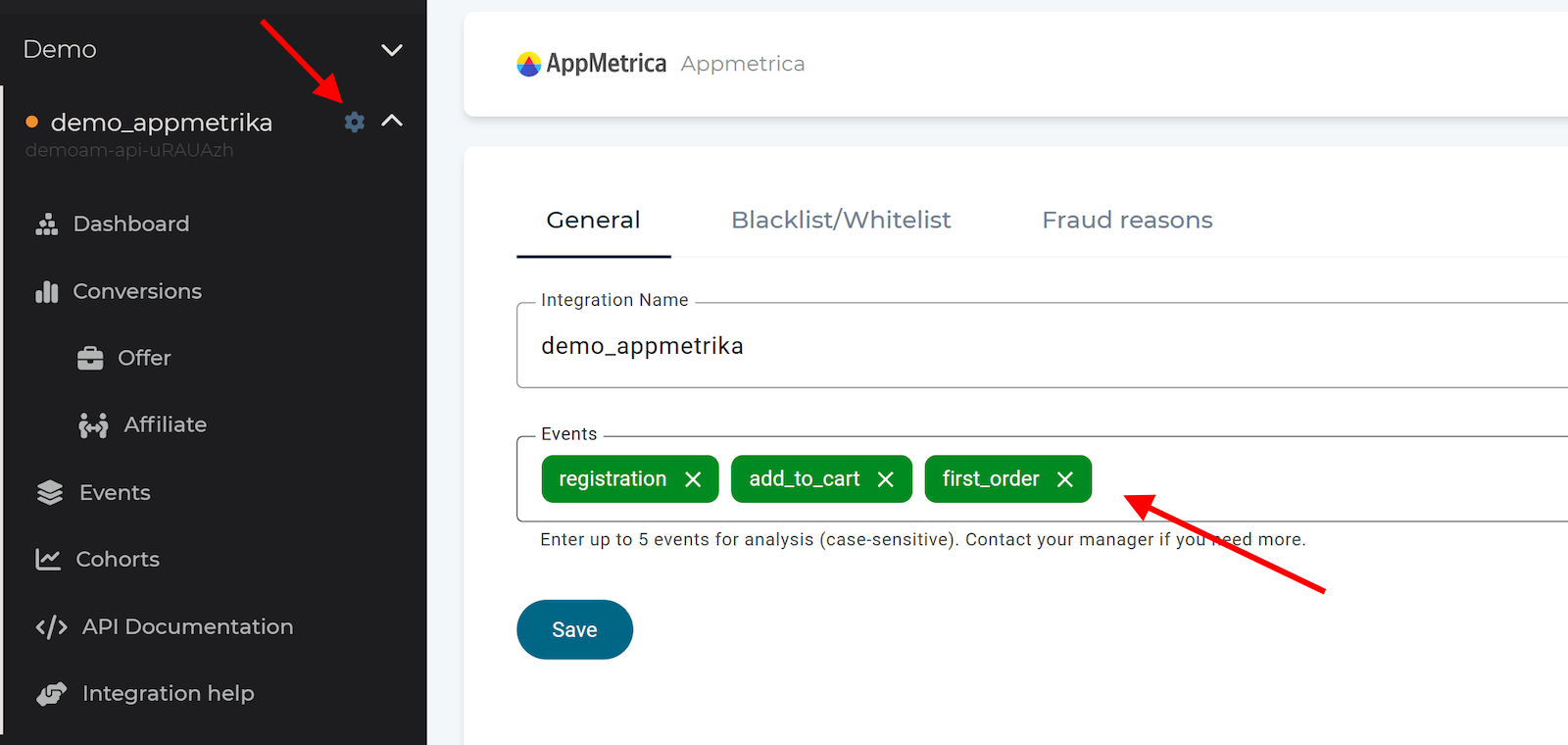
Go to the Integration settings in the left sidebar menu and enter the event names to the Events field, confirming each entry with the Enter key.
Attention
Event names must exactly match those in AppMetrica, including letter case.
Tip
For analysis, 2-3 events are sufficient. If there is a registration event, it’s recommended to include it as well. You can specify which event is the registration event in Fraud reasons settings.
To save the changes, click the Save button.
aug 6, 2026