Blacklist / Whitelist
The FraudScore account provides the ability to filter traffic that the system will analyze if you need to check only a portion of the data rather than all of it.
General information
The filter is a list of Offers and Affiliates. It can operate in one of two modes:
-
Blacklist - all offers and affiliates will be analyzed, except those specified in the list.
-
Whitelist - only the offers and affiliates specified in the list will be analyzed.
List setup
To configure the Blacklist or Whitelist, in the left sidebar menu click Integration settings.
On the opened page, select the Blacklist/Whitelist section.
Select the operating mode: Blacklist or Whitelist.
Attention
The filter list can operate only in one mode: either Blacklist or Whitelist.
Information
By default, the filter operates in Blacklist mode with an empty source list. No traffic is blocked.
For Adjust, AppMetrica, and AppsFlyer integrations, the list contains default sources whose traffic is typically not analyzed by the system. If you need to import data from any of these sources, simply remove them from the list.
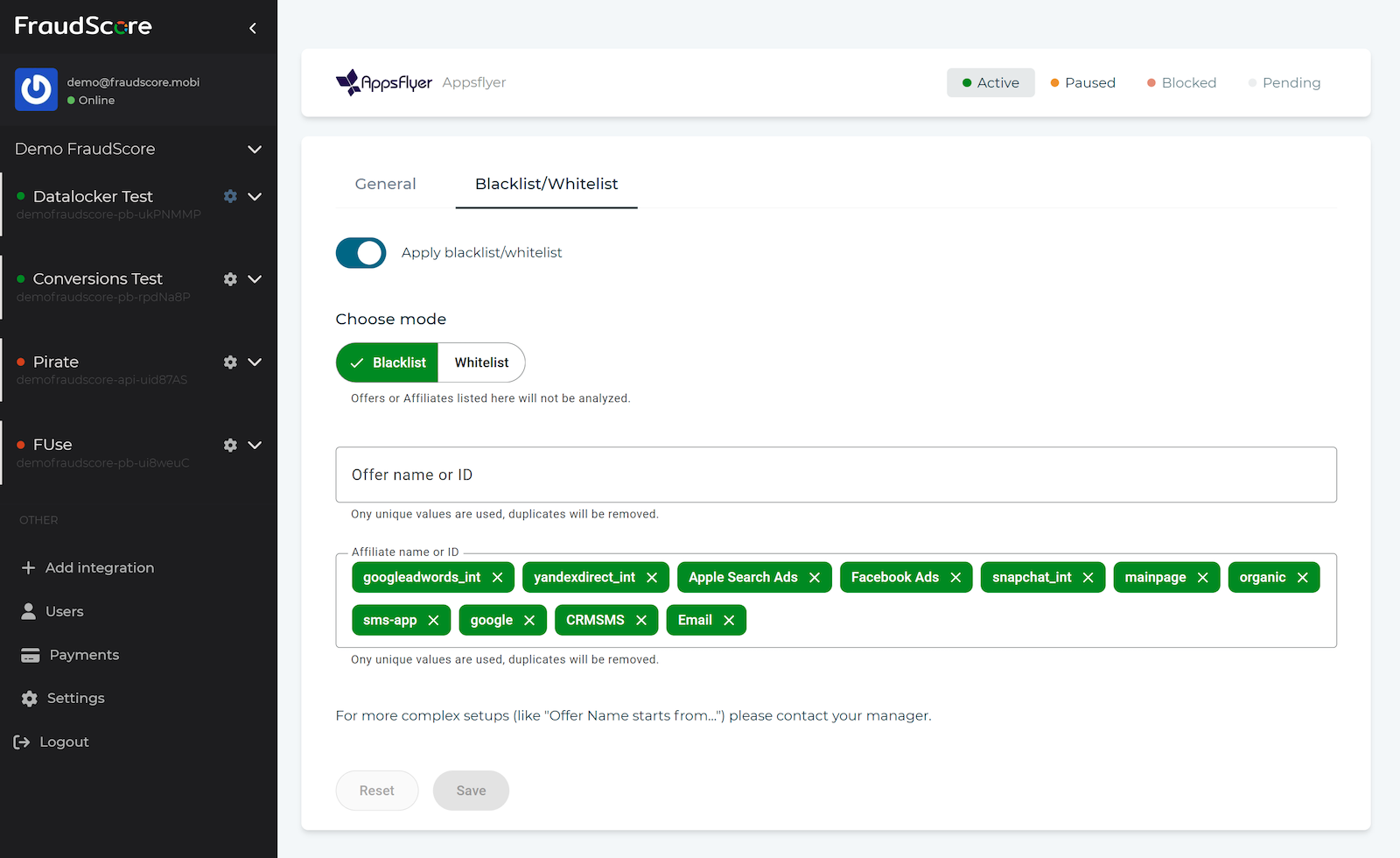
In the Offers and Affiliates fields, add the sources by which filtering will be performed. Enter the name or ID and confirm the input by pressing Enter.
Tip
To add multiple items at once, copy a list from a text file, a messenger message (each item on a new line), or an Excel table and paste it into the selected field.
Verify that you enter all data correctly and select the correct list operating mode, then click the Apply button to complete the setup.
Tip
For Adjust, AppMetrica, and AppsFlyer integrations, click the Restore safe defaults button to reset the filter to its default state.
Information
Filter management is also supported via the API through an MCP server. Please note that in this configuration, the filter operates exclusively in blacklist mode.
Individual rules
If more complex data filtering rules are required, involving the configuration of special conditions, please contact your personal manager.
oct 7, 2026